Showing posts with label Technology. Show all posts

Sony Movie Studio Platinum 12 Goes 64-Bit: Render Errors Finally Solved

A couple of the most read posts I have on this site have to do with overcoming render issues many of us had with Sony Vegas Movie Studio. It was amiss of me not mention that I upgraded to Sony Movie Studio Platinum 12 in the summer of 2012 and that it was the first rev of the software I got to render complex projects cleanly without having to hack all those dll files.

There are two big changes in my mind: first they dropped 'Vegas' from the name and second, this consumer level software went 64-bit. Why is 64-bit such a big deal? Most modern versions of Windows are 64-bit and without this feature they are severely limited in the amount of memory they can use. In previous versions of Movie Studio we were running 32-bit programs often on a 64-bit OS. That's OK but it means that the 32-bit program can't use all the memory that you've installed. It also means that when that 32-bit program reaches the limit of the memory it is allowed to use, but it really needs more, strange things can happen and often these resulted in render errors.

Sony made their consumer level product 64-bit and I speculate that this is the main reason that I can render fine in version 12 of Movie Studio. This is why I'm totally recommending this upgrade to anyone on a 64-bit version of windows - it's a small price to pay for the performance and stability gains. That said, it's still not fast. I recently switched to Adobe Premium Production Suite and the combination of Premiere and Media Encoder blows Movie Studio away. But that comparison is a little unfair is the suite costs a fortune compared to Sony's product. If you're looking for a great value NLE I heartily recommend Movie Studio 12.

My Tech Top 10: 2012 Edition

One of the blogs I follow is Apartment Therapy and they have section called My Tech Top 10. Each year they ask contributors and influential people to describe ten items of technology that have been most useful to them that year. I'm just a reader of that blog and have little influence, but I still thought it would be fun to make my own list so here goes:

iPad 3

In first place has to be my iPad. I had the first generation of the iPad and it was fun, but I got the iPad 3 in the summer and it fulfilled the promise the original iPad hinted at. Of course, Apple made it old-tech two months later when they released the new iPad and we're already hearing word of yet another iteration early in 2013 which makes me a little angry but then again, when I'm using the iPad 3 (and I use it a lot) I don't feel like I'm using old-tech. 

The retina screen is just beautiful - it's the end of the era of being able to see pixels. It's powerful enough to work on and play on. I do like my iPhone but since the iPad 3 came into my life the iPhone is something I use to text and make calls and if I use it for anything else it feels like a compromise I have to make until I'm back with my beloved iPad. The iPhone is just a bit squinty to my old eyes whereas, the iPad may not be small enough to go in a jacket pocket but I see why Mr Jobs thought the iPad's screen was the perfect size. It's great for watching video, making music, it's effortless for Skype, great for Pinterest and Flipboard, it is my preferred interface for dealing with my email and calendar. Typing on the glass keyboard is a compromise but one you quickly adapt to but with a bluetooth keyboard that compromise disappears and so Google Docs, and Celtx become all the more useful.

I'm sure it's not perfect for everyone but for me I am now lost without my iPad. It has largely replaced my laptop: I either use the iPad or wait until I'm back at one of my desktops. I didn't get it when it first came out ("Why would I want a massive iPhone that can't make calls?") but now I get it.


Lightroom 4

Just like the iPad makes more heavy duty devices less relevant, Lightroom makes Photoshop seem slow and cumbersome. There are not that may pieces of software I love (I like a lot but how many do I 'love'? Not that many.) but I count Lightroom 4 among their number.

Once you get used to it, it is amazingly fast to do 95% of what I need to do with my images. Photoshop is amazingly powerful and fully featured but it contains so many functions that are irrelevant to most photographers. I'm sure I haven't tried half of what PS can do but I feel like I use all of Lighroom's features without missing much. It has made going through hundreds of pictures after an event much more manageable and without it most of my images would never get beyond being downloaded in RAW format to my server and then forgotten. The price for such a professional tool makes it so inclusive; as PS has become such a significant expense it is sometimes hard to justify purchasing, especially now LR does most of what I need. If Adobe adds layers and brushes I may abandon PS forever - I guess that's why they won't be adding those features.

Leatherman Charge

This is hardly an item of tech but it is a device that's been in my bag and used daily for about a decade now and its looks don't give away its age. Any geek worth their salt needs a multi-tool they can strip a PC down with, or cut pesky cable ties single handed, or any of a half-dozen tasks that used to send us to our tool box every day. For me that tool is made by Leatherman and the Charge is the model with all the tools I need.

Dropbox

How did we survive without DropBox? I used to have a flash-drive in my pocket at all times, but Dropbox is way more than a cloud version of a thumb drive and survives the washing machine much better to boot. It is my go-to service when I need to save items I need to access from anywhere but it has also become the service I use to share projects that are works in progress. That could be a video I want notes on from stakeholders before it goes live on YouTube, or the way I collaborate with partners even though we don't live in the same time zone, and the way I can effortlessly move items between devices and OS'es - PC to Mac, desktop to iPhone. Dropbox has quickly gone from a novelty to a daily essential.

Seagate Backup Plus Portable Drives

Much as I love Dropbox it's neither big enough, nor fast enough for the huge video projects I work on, need to backup and to transport between my office and home. I had been using old school external hard drives - the big ones that need a separate power supply and take up half your bag - when I made the discovery that these small, laptop drive based drives were no small enough, fast enough and cheap enough to replace my old drives. I love that they don't need a separate power supply and that you can get a terabyte for about $80. Until the cloud becomes faster and cheaper for the amount of storage I need, these drives make an elegant stop-gap.

Canon 5D MkII

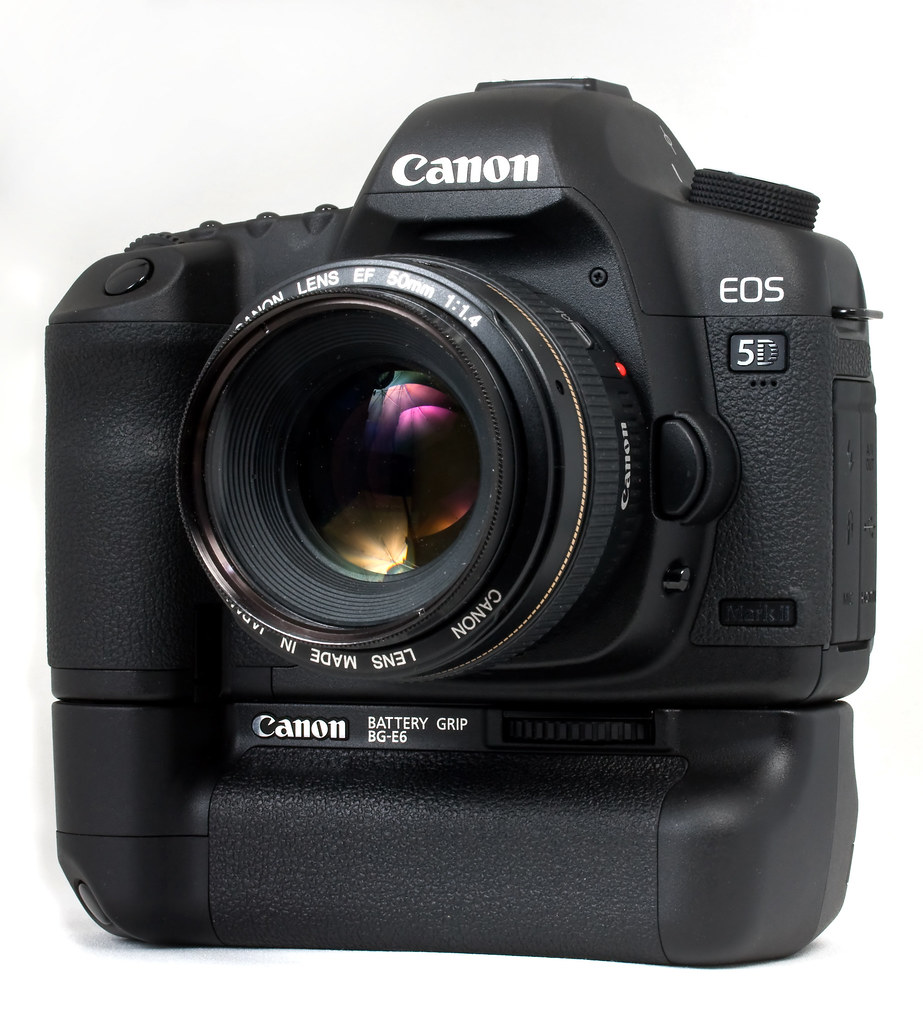
I know 2012 was the year of the MKIII and, as I write this, the 4 year old MKII has just been officially retired, but I still use my MKII's daily both for stills and video and don't see the need to replace or retire them just yet. This camera made me a better photographer and it taught me about video production. 2012 was the year this kind of multi-media production officially became part of my work remit so I have the MKII to thank for getting me out of the coding trenches (at least until they realize I don't know what I'm talking about). It's not often that a high tech gadget has such a long shelf-life.

Adobe Production Premium CS6

Work had been promising my this software since 2011 but in 2012 they finally delivered. Before that I had been making do with the consumer software Photoshop Elements and Sony Movie Studio. Both taught me a lot but I kept hitting problems with both that getting the professional software has helped overcome. I no longer have to leave a day just to render a project in the fear that it won't complete or it will introduce glitches. Premiere had a pretty steep learning curve but now now going back to Movie Studio feels like going from a car to a push bike. I'm glad I didn't have to buy it myself as it is quiet spendy but oh, so worth it.

Flipboard

There are several apps I use daily on the iPad and Flipboard is the ideal way to consume all sorts of niche and mainstream news. Flipboard is the modern Newspaper.

Downcast

If Flipboard is the modern newspaper then Downcast is the modern radio. Since TiVo came along I haven't watched live TV except in hotel rooms or at my parents house since. I still listen to NPR but not live anymore. I've been a follower of podcasts for years but Apple's idea of over the air syncing left a lot to be desired. Downcast was my stopgap until they sorted it out but now, even though Apple have their own podcast app, I'm sticking with Downcast.

Sennheiser HD 280 pro Headphones

I know it's the year of the new Apple ear-buds and super-expensive, rapper-endorsed headphones but my HD 280's are the last in a long line of Sennheiser headphones I've owned. They're not for going out but if you need to monitor audio in a loud environment their ear cups seal out most of the room noise. If you have to mix or edit on headphones they are naturally uncolored. They're boringly black but affordable and comfortable and another piece of tech I use daily and am glad for.

Real Geeks Don't Read Dwell

Like a lot of geeks (but not all) I love good design. That I'm a sucker for well designed tech goes without saying; the iPad, the Fuji X100, La Clie Hard-drive Cases all float my boat. But outside of tech, Fender Stratocasters, Pininfarina cars and Eames furniture are also a turn on. I want to live a Jetson-esque house that Architectural Digest want to feature, to wit, I read a few interior design blogs for inspiration and also for the voyeuristic thrill of seeing how other people live.

Which is how I came to read this article: 10 Steps to a Home Office You'll Love. Let me give you the executive summary: hide all your tech and buy expensive, designer office furniture. In other words, if you're a geek, be ashamed, send your toys and action figures to Goodwill, and compromise what you need to work and create so that some architect wannabee in stupid glasses will approve of your work-space.

We take it as read that the iMac looks amazing in the Apple collateral when it is photographed in a staged office that is devoid of cables, peripherals, paper or anything personal. When we get it home, if you're anything more than the most casual of users, it doesn't look nearly as clinically clean once you get it connected to the network, and hooked up to a couple of backup drives, and connected to a second monitor, and your Wacom tablet. If you're a digital creative these things are not tech clutter you can just hide away; they are daily necessities you need to work.

When you dive deeper into digital multimedia creation there are other things you can't live without that are hard to sweep under the designer carpet. If you're into music creation (as I am) and you don't live in the elite world where you can afford to have a dedicated studio, there are mixers, microphones, keyboards, guitars and rack mounted effects. If you have to hide these things away in the closet after every session to maintain some zen ideal of what your work space should look like, the next time inspiration strikes, you face so much setup and breakdown time the barrier to starting creating is too high. If these things are setup and to-hand, when inspiration strikes it's a simple matter of flipping a few switches to get from the point of inspiration to getting that idea recorded.

Likewise, if you podcast or make videos and you don't have a dedicated studio, with all your equipment broken down in the garage how much more motivation do you need to create your next episode or masterpiece if there's all that setup to go through before you can even start to create?

Real geeks also need more than one computer. What are you going to do while your code is compiling or your video is rendering on your main work station if you don't have another machine to work on? Real geeks don't use laptops as their main workstations: laptops are great but we need the power and flexibility only a tower provides and when was the last time you saw a hulking tower workstation in any of the offices featured as role models on Apartment Therapy? For real geeks technology isn't static - we are constantly switching in and out hardware; cycling external hard drives; changing out network hardware; bringing a new laptop into the room for testing or review. Real geeks keep their cables tidy but accessible and that doesn't mean hog-tied to the back of a cabinet you can't get to without a flashlight, crawling on the floor and banging your head on furniture.

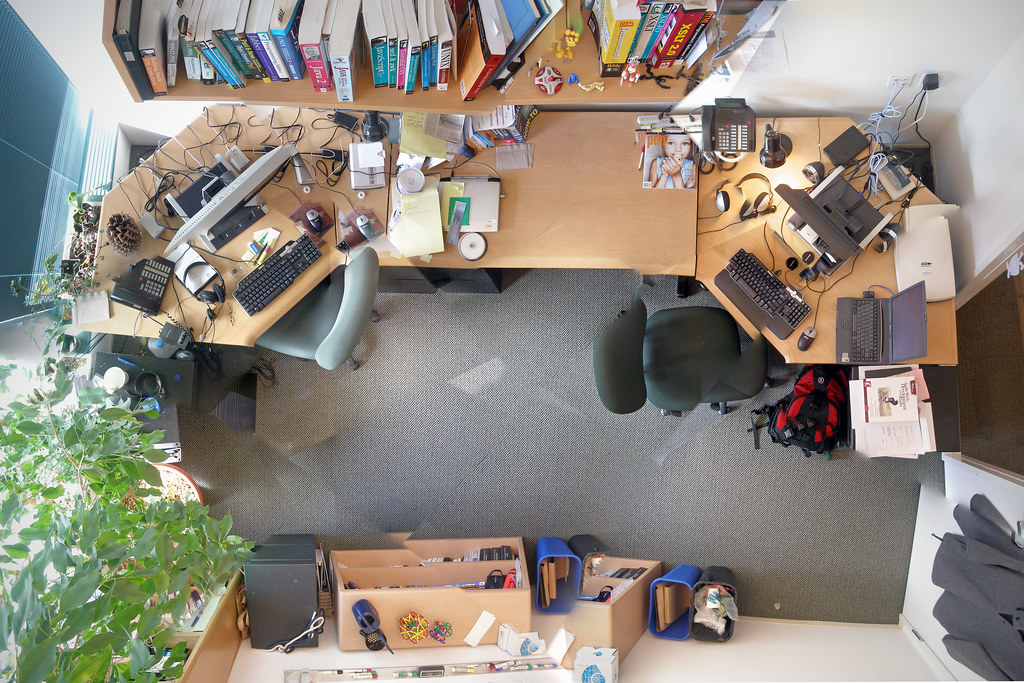
This is one geek who has had enough of trying to live up to some Hollywood interior designer's idea of what my work space should look like. To do so is to deny my geekness and inhibits the creative process. There are no action figures anywhere else in the house other than in my office. I still need some very uncool looking paper manuals to get some tasks done. I love my Nerf gun and I need a guitar close at hand to bang out some frustration on. I need the speed and reliability of a wired network and if the router and network switch are in  the basement how can I read the status lights when something periodically goes wrong?

I'm tired of apologizing for my man-cave. We keep the rest of the house pretty grown-up and tidy so I'm going to put a sign on my office door: "Interior Designers: Keep Out!"

Sony Vegas Movie Studio Platinum: Render Error Still Occurs in v11

Update: Since I wrote this post I upgraded to Movie Studio Platinum 12 - the program has gone 64-bit which seems to answer this problem that we were experiencing in prior versions.

I am a huge fan of Sony Vegas Movie Studio Platinum. For the money (around $100) it is impossible to beat on the Windows platform. However, ever since I started using it 3 versions back it has been plagued by a bug that Sony are either unwilling, or unable to fix.

The problem occurs when you are trying to render HD video out above a certain, unknowable complexity on a 64 bit platform. The error you see when you're trying to render out (just before the application crashes) is "The system is low on memory. You may be able to reduce memory usage by closing other applications." I'm here to tell you it doesn't matter how many programs you close, once you hit the threshold and start seeing this error your video will not render. I am also here to tell you it is not an issue with the amount of memory you have in your machine (unless you have less than 3gb). I have 8gb memory in my Vista 64 bit desktop and 3gb in my Win 7 64 bit laptop and both were plagued by this issue trying to render the same project recently - the project had 6 video tracks and 8 audio, with effects on most clips and tracks but it was only three and a half minutes long.

First an introduction to some boring Windows fundamental architecture. 32bit versions of Windows can only use a maximum of 2gb of memory. 64bit versions are not restricted in the same way which is one reason geeks like 64bit systems. Unfortunately many consumer pieces of software are 32bit. Now, you can run a 32bit program on a 64bit version of Windows but it won't be able to use more than 2gb of memory itself. With me so far?

Sony Vegas Movie Studio Platinum is a 32bit program (Pro is 64bit) which runs well on 64 systems but has had this memory leak issue when rendering in all versions I can see to date. Basically the render process is using as much memory as it can get (2gb) but at some point it doesn't release a part of memory it has reserved - it then tries to get more memory and the crash occurs. Why Sony haven't fixed this issue is infuriating - I was sure they would have it done in version 11 but no; I installed the software and the bug was back.

Luckily for us there is a tried and tested way to address this issue that has been documented for previous versions of Movie Studio and this is my update to those instructions for v11.

  • Close Sony Vegas (if it hasn't already crashed on you.
  • Download and install CFF explorer from www.ntcore.com/exsuite.php.
  • Run CFFExplorer
  • File > Open "C:\Program Files (x86)\Sony\Vegas Movie Studio HD Platinum 11.0\VegasMovieStudioPE110.exe
  • In the left plane of CFF Explorer click NT Headers > File Headers
  • Bottom right of the resulting grid will read "Click here" - click there
  • In the resulting dialog window check "App can handle > 2gb address space" and then click "OK"
  • File > Save As and save the file to a local directory (somewhere in your documents or desktop)
  • Close the file in CFF explorer
  • In Windows file explorer make a copy of the original file you just opened (this is so, if things go wrong, you can get back to where you were)
  • In file explorer move the file you saved in a local directory over the one in the installed directory: whenever you try to copy or move a file in the installed directory Windows will probably ask you exactly what you want to do to try and stop you corrupting installed applications - Click "Move and Replace" and then hit "continue" if it says you need to confirm your administrator privileges. This may seem long winded but you have to get around Windows security that is trying to stop you messing up your system.
  • Repeat the CFF edit for the following files:
    • VegasMovieStudioPE110.exe (you just did this one)
    • vegasmoviestudiope110k.dll
    • all dlls in the FileIO Plug-Ins dirrectory - in my installation this was:
      • ac3studioplug\ac3studioplug.dll
      • aifplug\aifplug.dll
      • atracplug\atracplug.dll
      • aviplug\aviplug.dll
      • compoundplug\
        • compoundplug.dll
        • mc_dec_aac.dll
        • mc_dec_avc.dll
        • mc_enc_mp2v.dll
        • sonyjvtd.dll
        • sonymvd2pro_xp.dll
      • fhgaacplug2\fhgaacplug2.dll
      • flacplug\flacplug.dll
      • gifplug\gifplug.dll
      • lpecplug\lpecplug.dll
      • mcmp4plug2
        • mc_dec_aac.dll
        • mc_dec_avc.dll
        • mc_enc_aac.dll
        • mc_enc_avc.dll
        • mcmp4plug2.dll
      • mcplug2
        • mc_config_mp2m.dll
        • mc_config_mp2v.dll
        • mc_config_mpa.dll
        • mc_dec_dd.dll
        • mc_dec_mp2v.dll
        • mc_dec_mpa.dll
        • mc_demux_mp2.dll
        • mc_demux_mp4.dll
        • mc_demux_mxf.dll
        • mc_enc_mp2sr.dll
        • mc_enc_mp2v.dll
        • mc_enc_mpa.dll
        • mc_enc_pcm.dll
        • mc_mfimport.dll
        • mc_mux_mp2.dll
        • mc_mux_mp4.dll
        • mc_mux_mxf.dll
        • mcplug2.dll
      • mp3plug2\mp3plug2.dll
      • mp4plug3
        • aacaenc.dll
        • mp4plug3.dll
        • savce.dll
        • sgcudme.dll
        • sgocldme.dll
        • sgpuclb.dll
        • sony4vem.dll
      • mvcplug
        • mvcplug.dll
        • sonyjvtd.dll
      • oggplug\oggplug.dll
      • qt7plug\qt7plug.dll
      • rm9plug
        • rm9plug.dll
        • pncrt.dll
      • sfpaplug\sfpaplug.dll
      • stl2plg\stl2plg.dll
      • swfplug\swfplug.dll
      • wavplug\wavplug.dll
      • wicplug\wicplug.dll
      • wmfplug4\wmfplug4.dll
This fixed the crashes while rendering for me and I hope it works for you but if you're not comfortable messing around with dll files please be careful - you could do more harm than good .If you can't see the dll files of the folders they are in you may need to make hidden files visible. All the dlls in the file IO directory that I listed may seem like overkill but I just wanted to never face this error again ... until the next time when Sony release v12 and I've forgotten all about this pain. Then again, Sony might actually get its act together and fix this issue for us ... fat chance :)

Windows 7 Sound Issue: Unwanted Reverb Stuck On

I had a strange problem with my little, Dell laptop (Inspiron 1318) the other day. I thought I'd put the issue and solution out there just in case anyone else encounters it. The issue was as if a reverb effect was stuck on.

I was about to work on a podcast that I edit in Audacity when I noticed that the source audio was dripping in reverb. If you have edited any audio yourself you'll know that you want the audio as dry as possible so that you can choose when and how to apply effects. At first I though the reverb had been added to source audio as it was recorded but then I noticed there was reverb applied to any audio I listened to - YouTube videos, MP3s in my music library, they all came through drenched in horrible reverb. Something was wrong with my machine.

The funny thing is that I wouldn't know how to add blanket reverb to all audio on my machine. I checked my audio driver from Dell and reinstalled it even through it was already up to date.That didn't make any difference.

To get rid of it I had to uninstall the audio driver and then reinstall it from scratch. To do this:

  • "Start" button and select "Computer"
  • Select "System properties" from the top menu bar of the "Computer" window
  • Select "Device Manager" from the left-hand "Control Panel Home"
  • Select "Sound, video, and game controllers" to show your audio device(s)
  • Select the audio device you are currently using then right-click and select "uninstall."
  • Reboot to complete the uninstall.
  • On startup, Windows will detect the sound card and re-install drivers.
  • It may require another reboot but your sound should now be clean
I hope this information is clear and useful to anyone else who encounters this weird problem.

Antec 300 Review

Everything in place with plenty of room to breath
The last time I modded a PC case blue LEDs were new and expensive; rounded cables were hard to come by so we razor'ed and wrapped our own; the default PC case color was still beige; and a PC over 1gig was screaming. Then it became more expensive to build you own PC than it was to buy something with a guarantee and an OS from Dell or HP and cutting windows in the side of cases to show off the internal components seemed too geeky even for me.

So I buy my PC's off the shelf these days and then add components and upgrades as required. My current home desktop is a HP Pavilion m8407c. It's a couple of years old but its Core 2 Quad processor is still man enough for Lightroom, Sketchup and Sony Vegas which are the most heavy duty programs it has to deal with. I also might be the only person on earth still happy with Vista 64.

Pimped
I couldn't resist my geek tendencies to light up the Antec 300
As usual, I have had to add components to keep my machine current: 8 gigs of memory with heat pipes pre-fitted caused an issue as the hard drive cage would no longer fit in position with a drive in place. The case was holding more hard drives than it was designed for and I needed to add another one - drives were just balanced in place as there were no more spaces to fit them properly. A chunky video card and new power supply were taking up much more space than the OEM components. Finally I had to admit that I'd outgrown the OEM HP case and so, unexpectedly, I found myself in the market for a new PC case for the first time in years.

Things have moved on a lot in the intervening time since I was overclocking my Celeron 233. I don't think you could buy a beige case even if you wanted one and 80mm case fans are reserved for the most frugal of cases. That said, I didn't want to spend a fortune on a new case that spends its time hidden under my desk. I wanted something with plenty of space for expansion without being monolithic. I wanted something quiet and understated. Surprisingly, I was spoiled for choice but I after reading a few reviews I plumbed for the Antec 300 for $60 delivered from Amazon.

Understated front panel
The 300 is much bigger than the OEM HP case but is still considered a mid or mini-tower. It's exterior is an elegant black and its front is a stylish perforated metal. Behind the front is a removable, washable filter and, although the case does not come with a power supply, it comes with a top mounted 140mm fan and a rear mounted 120mm fan. The side panel will also take a 120mm fan and the front will take two more fans. That's a lot of cooling; way more than I needed and I wanted the case to be quiet not sound like a spooling jet engine in a wind tunnel. I turned the two included fans down to their minimum settings relying on negative case pressure (air gets sucked in to the case by the air being forced out of the rear) to keep everything quietly cool. The interior is plain galvanized steel and many people of the interwebs seem to paint it black for better heat conduction they claim, though really it's because it looks cooler but who's going to be looking in there except me when I need to swap a drive out? Way too much effort for such little payback.

I wasn't even going to fit a fan to that side panel but I couldn't find a way to turn off the 3-wire case fan monitor in the HP bios so, to avoid a system nag on every boot, I installed the little case fan from the original HP case to the side via a fan adapter and a 3 wire cable extender. It is definitely not needed to keep the components within working temperatures and shame on HP for not making this fan's settings accessible in the Bios.

Apart from that little issue rehousing the HP internals into the Antec was relatively easy. There is so much more room to get your hands into the case when you're installing everything than in the compact HP case. The power supply fits on the floor of the case, well out of the way of the motherboard just make sure your power supply's cables are generous enough to be that far removed. I was using an Antec power supply I'd already bought to power a beefier graphics card so it wasn't a problem for me but the OEM HP power supply might be a different matter.

I did not have to remove the CPU or memory from the board before transferring it into the Antec which came with plenty on standoffs to get the motherboard properly seated. The rear panel from the HP surrounding the motherboard ports removes from the HP case and fits in the Antec to give a professional finish. There is plenty of room to route the cables tidily and out of the way of the main components. The only fiddly part of the installation is fitting the front panel lights and switches to the motherboard. If I were to do this again I would connect those wires before I screwed the motherboard into the case: the writing on the motherboard is too tiny for these old eyes and my fingers aren't dexterous enough to easily plug those micro connectors onto the pins of the motherboard. Luckily I got them in the right place first time and did not have to revisit that part of the installation. The front USB connectors were a much simpler affair.

The right side has a box to hide cables
obviously, I don't know how to utilize that.
Antec supply a bunch of thumbscrews with the case which are great for mounting the hard drives in a tool-less fashion. There's room for 6 standard 3.25" drives with ample air flow around them. There's also room for 3 optical drives and even 1 laptop sized hard drive on the floor though I've yet to work out why I'd put a laptop hard drive in this case. Although there is no built in method for isolating the drives from the chassis to reduce sound everything is so solid that HD noise is minimal - certainly better than the OEM case.

The Antec doesn't come with a card reader and the HP's is not a standard fitting. I could have bought a new card reader for not much money but I was trying to change as little as possible from the old configuration as I knew that worked. So it was out with the Dremel like an old-school modder to adapt a standard front panel blanking plate to take the OEM card reader. It's not the slickest job you've seen but it works. The only flamboyant touch I added was to light the front panel with a couple of blue neon tubes (cost $12). I leave them off 97% of the time only turning them on when people come over and visit the man cave. I guess I'm not as grown up as I like to think.

Conclusion: for $60 the Antec 300 is a solidly built and quiet case with lots of cooling and expansion potential. If you're in the market for a classy looking computer case it is hard to beat. If, like me, you're looking to rehouse a computer that has outgrown its OEM case it's a great choice but it would be equally competent if you were building a machine from scratch. After all this time of buying off the shelf PCs this case may inspire me to building my own again. It demonstrates the difference in quality between OEM and specialist components really well. Highly recommended.

Memory: The Poor-Man's Upgrade

Circuit Tracks
Back when I used to build and over-clock my own PC's Memory was called the poor-man's upgrade. For much less money than replacing your CPU, which usually involved replacing your motherboard and all the hassle that entailed, you could max out your memory and keep your PC's performance contemporary for another 12 months or so. These days it's just not cost effective to build your own PC but it's still useful to be able upgrade your desktop when required.

My current desktop is the case in point. I tend to buy off the shelf PC's and then add to them as required. I expect a PC to last me about 3 years or a little more. My current workstation is a HP Core 2 Quad 4 CPU running Vista 64 that I bought a little over 2 years ago. I know a lot of people complain about Vista 64 but I actually like it. It has been tweaked in the past couple of years. To drive my main monitor, a Dell 30" LCD that I love, I had to replace th video card. To power the video card I had to replace the power supply. I've added a couple of extra internal hard drives to it to keep up with my ever expanding photo archive and I'll add another before I'm done.

For most people and most tasks this PC would fly but most of the programs I like to use are memory hogs. Sketchup, Lightroom, Sony Vegas, PhotoShop among others can each eat 2-3gb of memory. My PC came with 4gb so I should have been OK but Vista itself is resource hungry even without any of those other multimedia programs running and I noticed the memory usage often topping out at over 90%. I guess at that point the virtual memory (disk space) takes over but it is much slower so I was starting to experience performance issues waiting for these programs to respond or slow performance as the programs themselves were running sometimes.

To update my PC I took advantage of a Black Friday offer and bought 8gb of 'gamers' memory (basically memory with heat sinks attached from what I can see) the maximum my motherboard supports for around $150 shipped from NewEgg. It took a little fiddling and repositioning of one of the machine's hard drives to fit the new, chunky memory into the compact tower that houses my PC but I did wrestle it into place and it seems to have done the job. I can now run Lightroom, Sketchup and Google Earth at the same time and the memory usage doesn't reach 70%. I guess that means I'm not using scratch disk as much because all those programs seem to be running stutter free again.
WFH
I'm not saying that upgrading memory will make your old machine new again but it still seems to be a cheap way to keeping your middle aged machine current if you use a lot of memory intensive programs. Certainly, tonight I'm very happy with my $150 investment. Hopefully I'll remain so for another 12 months or so by which time 8gb of memory will be common-place rather than excessive and it will be time to upgrade properly.

Improve the Google ranking of your portfolio site

I was recently asked by a photographer how she could improve the ranking of her site in google's results. I asked the obvious question, what google searches did she want her site to appear in? She told me "San Francisco based photographer" and the like.

So I took a look at her site. It was really nicely designed, showed off her work professionally and her work looked great but it was certainly not optimised for Google ramkings. Her site was built by a graphic designer who made the typical mistake of assuming that if you put keywords into the metatags (metatags hold information about your page/site that are not visible to your viewers but are used by other programs) that would be enough to court search engine spiders and bots. Unfortunately, google no longer really uses the keywords metatag very heavily, if at all. It was too easy to trick search engines into ranking a page highly based upon its keywords when its content may have had little to do with those words. Indeed, some speculate that if your page has keywords which are not then found on that page that your page may be penalized for "keyword spamming" and suffer in the search engine's ranking as a result. One thing we to do, therefore, is make sure that your keywords are also found elsewhere on your pages.

Please keep in mind that I'm not a specialist in this area and that improving a site's ranking is something akin to alchemy and is not an exact science but is subject to change whenever google changes its bots.

First off, a tiny bit of technical background to put my suggestions into context. Photo portfolio sites are at a distinct disadvantage when it comes to search engine rankings. Why? Because search engines, and google in particular, do everything they can to rank what they consider the most useful and relevant results first (I won't complicate things be talking about those who chose to pay to improve their tankings). How does google do this? Mainly through the text found in various places on your pages (both hidden and visible) and through how many other pages link to your site. Being so image heavy in their content, as opposed to text based, puts photo portfolio sites at a distinct disadvantage in this regard.

Two tags that are used more heavily by search engines are your page's title and its description. The page's title is the text you see in the very top of the window of your browser when you visit a site. It is, therefore, really important that we get the page title right. For the site I was looking at I suggested something like " - a San Francisco / Bay Area based photographer specializing in lifestyle, interior, portrait, editorial and travel photography". Changing this could be the single most important factor in improving a sites ranking.

The description metatag is what a search engine uses to describe your site when it returns results. If a page does not have a description tag the search engine simply uses the first few words of text it can find on your site. This was what was happening with the site I was looking at so I suggested putting a description on to each page, something like: " is a San Francisco based photographer working in the Bay Area and specializing in lifestyle, interior, portrait, editorial and travel photography." This may seem very repetitious when viewed in relation to the title I suggested but there is a search engine concept called "keyword density" that I won't bore you with but basically means that the more often you page contains a word that the search engine indexes, the better its position in the result rankings.

Another thing I suugested we could do that may have a small effect on rankings is to optimize the "alt text" associated with the images on the site. The alt text is a piece of information associated with an image that tells the browser what the image is in a textual format. You rarely see this text but as a portfolio site has so little textual content we should take every opportunity we get to add some. I suggested that each image should contain a description like " - by - a San Francisco based photographer working in the Bay Area and specializing in lifestyle, interior, portrait, editorial and travel photography." Again, it may seem repetitive but keyword density means that it may pay off when a search engine hits your site to index it.

As the site was so image heavy I also suggested that adding a biography, mission statement or content page of some kind. This page could be then used to inject more text into the site which google would see as making your site more useful and, therefore, might affect the result rankings possitively.

Finally, the most important factor that will affect your site's rank I couldn't really help the site's owner with. That is the more often other "useful" sites link to a site the more useful google thinks the site is and the higher it will rank it. Do whatever you can to get links to your site put on other sites; get clients to link to your site from their acknowledgments, get your site listed in directories of similar sites. Do you ever write anything that is published on the web? If so, make sure you have a link back to your site from the article. Do you post to any bulletin boards or newsgroups? Put a link to your site in your signature so it's included in every post you make especially if that community is, itself, indexed by google. Persuade friends to link to your site - whatever you can do to get links to your site, do and the higher the ranking the site linking to yours has with a search engine itself the better. Google rates a link from an "important" site higher than a more provincial one.

How to Use Meta Tags In Search Engine Promotion
How to Improve Your Search Engine Ranking on Google
Score Higher in Google Search Engine (and why Google is saving the web.)
The Search Engine Tutorial for Web Designers

How To Set up Movable Type on 1and1

In the last few weeks online communities in general, and the blog world in particular, have been splattered with reactions to the news that a host called 1and1 is giving away three years worth of premium hosting. 1and1 are a huge hosting service in Europe (they claim to be the world's largest) and this promotion is part of their strategy for moving into the American market. Netizens were understandably skeptical about the offer, after all, how good could a service that is totally free be?

Never one to pass up a bargain, I signed up and even finally got around to registering my own domain which cost a modest $6. I had been wanting to play around with movable type for some time, not to keep a "dear diary", but as a way to display some photographs and as a way to create a dynamic repository for anything I wished to publish (like this information). 1and1, unlike most other cheap or free hosts, seemed to provide all the resource I needed to be able to do this at no cost or risk. Too good to be true? It turns out you can still get something for nothing on the web and that the quality of the hosting is not always determined by the price you pay. The fact that you can read this missive is proof enough that 1and1's offer is straight up and can host movable type. If you too are looking to play with MT or just want 3 years of something for nothing too and you're a US resident I suggest you sign up for 1an1's offer before it ends at the year's end.

How do you set it up? I did not keep notes while I setup MT on 1and1 but I will try to lay down some pointers as to how I got it running:

First off you obviously need a 1and1 account. Sign up for the offer and you get back an email telling you how to activate your account. This involves giving 1and1 a US phone number where you can be reached in the next few minutes. An automated call is placed by 1and1 to that number giving you a pass code. You then enter this code into the authorization page and your account is ready to use.

Through 1and1 you can then get a domain you already own redirected to your new host. 1and1 can also be the host for more than one domain or for various sub-domains. As I didn't own a domain I wanted to use for this site I bought one through 1and1 which took about 24 hours to be registered and activated.

The next thing you need is the Movable Type program. I downloaded the latest full version with libraries from movabletype.org and started following their installation instructions. The instructions can be a little overwhelming if, like me, this is your first experience of installing movable type but, as long as you go through them carefully it is an easy install. Here are 1and1 specific instructions to augment MT's own instructions:
  • Finding Perl on your Server - don't worry about it, Perl is in its default location on 1and1 so you don't need to change your cgi scripts to point to a different perl location.
  • Installation Directories - The application - in 1and1 your whole directory is cgi enabled, not just a specific cgi-bin, so you don't need to worry about relocating your static files. As for the installation directory itself, I chose a sub-directory under my home directory, called "moveabletype". This was for my own sanity and to keep the MT files apart from and static pages I may want on my site.
     
  • The database - I used MySQL so there was no need to create external directories.
     
  • Configuration - Configure Movable Type URL - I used the subdirectory moveabletype again for this.
     
  • Configure Database options - before you set this you need to go to your 1and1 control panel and enable the MySQL database. Now go to the "webspace" menu on the control panel and select "MySQL Configuration" and note your database name, user name, password and host name. Use these values to set the mt.cfg values for ObjectDriver (DBI::mysql), Database, DBUser and DBHost.
     
  • You can now skip all steps to "Set your SQL database password". Open mt-db-pass.cgi and replace the password with the password you noted down from you control panel.
     
  • Uploading files and setting permissions is just as described in the MT instructions. Do remember to be specific about whether the transfer is ASCII or Binary. I used smartftp and it was very easy to transfer the files in two loads; one for each style of transfer.
     
  • Create your Movable Type database directory - skip this step.
     
  • Checking for Perl Modules - running the http://www.your-site.com/mt/mt-check.cgi url worked first time for me as it will, hopefully for you.
     
  • If all goes well you are now ready to start using movable type.